
A4 vs A5 Paper Size: Dimensions, Folding and Print Scale
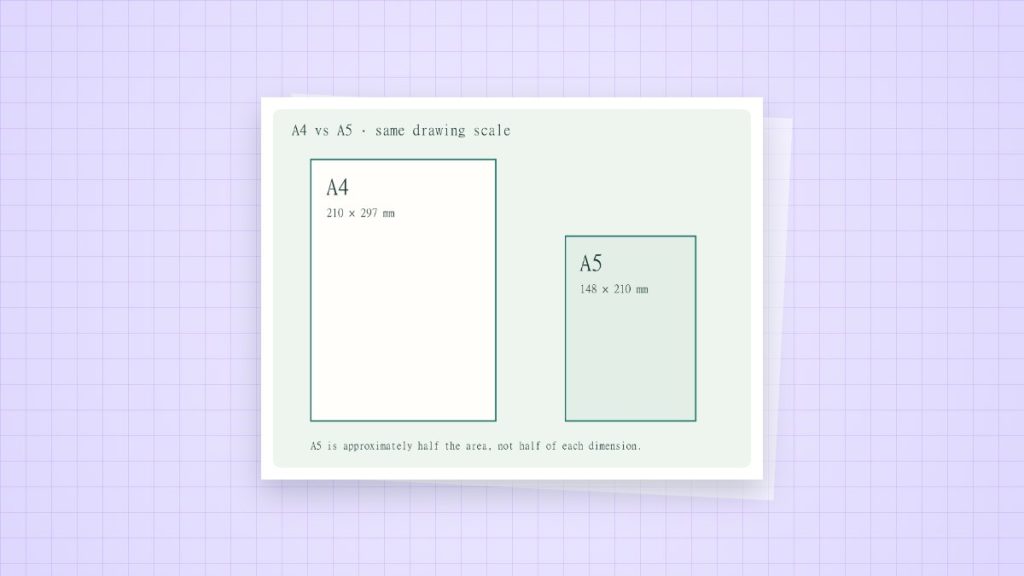
A4 is 210 × 297 mm. A5 is 148 × 210 mm. A5 suits compact notes; A4 gives tables, handwriting and diagrams more space. Decide with the finished task in mind, then check how the smaller layout will be printed.
| Use | A4 | A5 |
|---|---|---|
| Writing area with a 10 mm inset | 190 × 277 mm | 128 × 190 mm |
| Loose-leaf insert | More room for large tables | Easier to carry; measure binder holes |
| Two-page booklet | Can be the parent sheet | Can be the approximate finished panel |
Why “half A4” and a fit percentage differ slightly
The ideal A-series scaling factor is 1 ÷ √2, about 70.71%. Nominal sheets use whole millimetres. Fitting a full 210 × 297 mm A4 rectangle inside 148 × 210 mm gives min(148 ÷ 210, 210 ÷ 297) = 70.48%. At that scale, the height is 209.31 mm. Treat 70.71% as the ideal series relationship, not a guarantee that every full-edge nominal rectangle fits without clipping.
Prepare a compact insert
- Measure the finished sheet and the binder rather than selecting A5 by habit. Half Letter is a different size.
- Reserve space for holes or binding before choosing font sizes and column widths.
- Export the document at its final size. Use a two-up or booklet mode only if the intended output needs imposition.
- Print one sample, fold or punch it, and inspect the inner margin and text.
Avoid scaling a measured printable
Reducing an A4 grid also reduces every square. If a task needs 5 mm spacing on A5, generate a new A5 grid with 5 mm spacing instead of shrinking the A4 file. Two nominal A5 panels occupy 296 mm along an A4 sheet’s 297 mm dimension; the rounding difference is not an instruction to stretch the panels.
Sources and method
- ISO 216:2007: the scope of the ISO A and B series. Nominal millimetre dimensions are used; rounded inch values do not redefine the sheet.
- Adobe Acrobat: adjust page size for printing: Actual Size, Fit and the difference between the page and the printable area.